

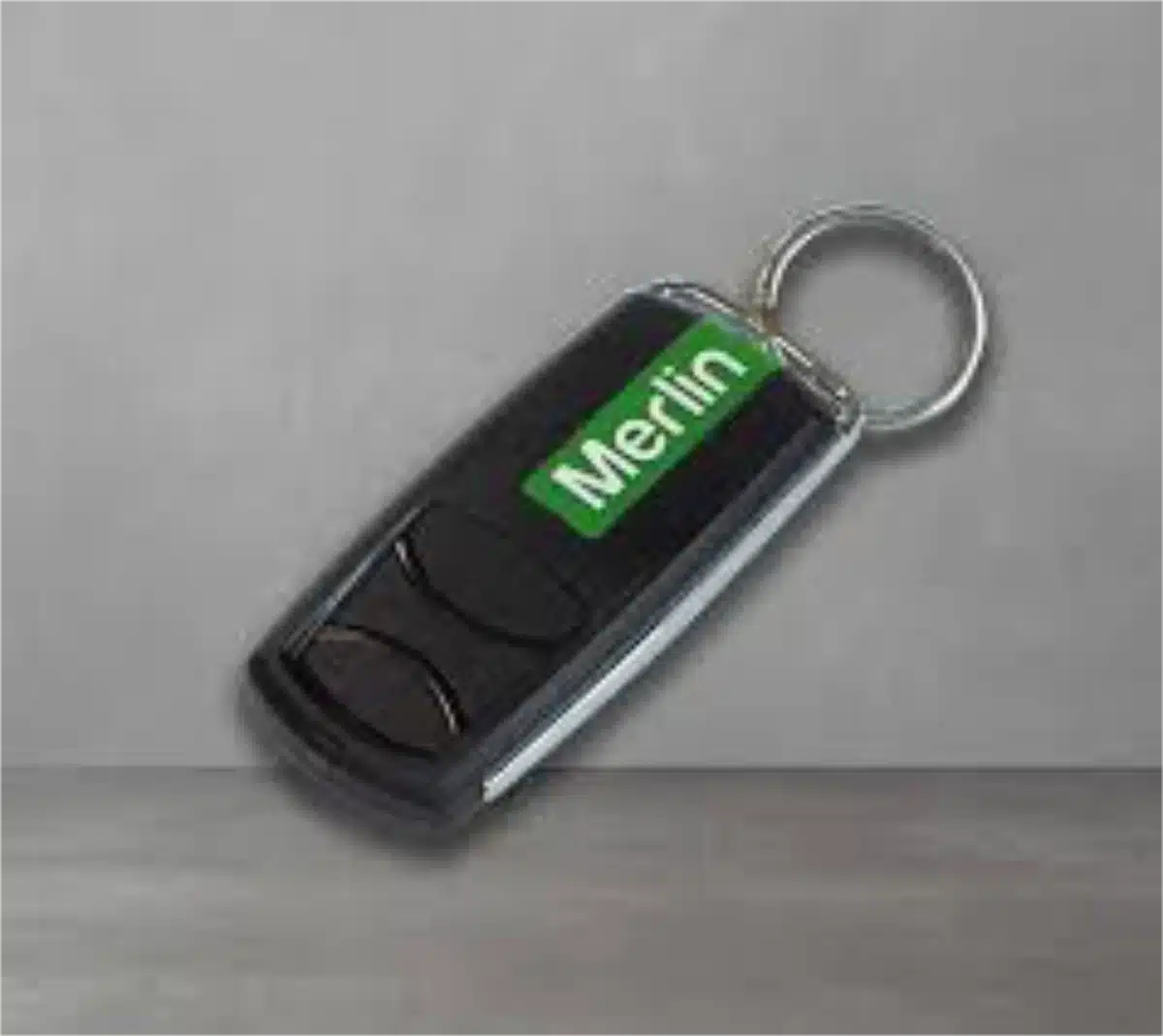
The old remote went through the wash in a pair of boardies. The new one’s in your hand, the ladder’s out and the instructions on the packet are printed smaller than a postage stamp. It’s a five-minute job on most Merlin openers, and our steps are a lot easier to read.
On current Merlin openers, press and release the yellow learn button on the motor. Within 30 seconds, hold down your remote’s button until the opener light flashes or you hear the motor click, then let go and test the door. Four-button remotes on older Merlin openers need an extra step, covered below.
Before you start:
- Fit a fresh battery in the remote.
- Close the door and clear the doorway.
- Write down the opener’s model number and the code on the back of the remote.
- Set up a sturdy ladder where you can reach the motor comfortably.
- Keep your other remotes handy, in case they need pairing again.
Which Merlin Opener And Remote Do You Have?
Merlin has used two rolling code systems over the years (Security+ 2.0 and the earlier Security+), and the handset has to suit your opener. The opener’s model number is on a label on the motor, and the remote’s is on its back, as a code such as E960M.
- Current Merlin openers use Security+ 2.0 and have a yellow learn button. They include the SilentDrive MR655MYQ and MR855MYQ and the Commander MJ3800MYQ, MS127MYQ and MS137MYQ.
- Older Merlin openers use the original Security+ system or, on very old units, DIP switches. If your opener has been on the ceiling for many years, check its label before you buy a remote.
This table shows which Merlin remotes suit which openers.
| Remote Type | Example Models | Works With |
|---|---|---|
| Four-button remotes | E960M, E970M, E975M, E985M water resistant, E964M car visor, E148M wireless wall mount | Security+ 2.0 and Security+ openers |
| Security+ 2.0 remotes | E940M, E943M, E945M, E950M slider, E138M wireless wall button | Security+ 2.0 openers |
| Security+ remotes | C943, C945, CM128 wireless wall button | Older Security+ openers |
| DIP switch remotes | M802 and older | Very old fixed-code openers |
If the label’s faded or missing, email us a photo of the whole motor and we’ll work out which model it is. Not a Merlin? Our garage door remote programming guide covers other brands.
How To Program A Merlin Remote With The Learn Button
This method suits current Security+ 2.0 openers and works with most Merlin remotes.
- Find the learn button. It’s usually yellow and sits behind the light cover or on the side or back of the motor.
- Press and release it once, briefly. The light beside it comes on, and you have about 30 seconds.
- Pick a button on the remote and hold it down.
- Keep holding until the opener light blinks or you hear a click (some models click twice), then let go.
- Climb down, stand clear and press the remote button to test the door.
When the door starts moving on that first press, you’re done. Repeat for each remote. Got two Merlin openers, say on a pair of single garage doors? Program a different button on the same remote for each one.
Merlin’s own instructions for its four-button remotes give a second order that also works: hold down the remote’s button first, then give the learn button a quick press. Let go of the remote once the opener light flashes.
Keep that press on the learn button short. Hold it for around six seconds and the opener forgets every remote it knows, including the one in your partner’s car. It sounds worse than it is: nothing’s damaged, and each remote pairs again with the steps above.
Programming A Four-Button Remote On An Older Security+ Opener
If the steps above don’t take, or your opener is an older Security+ model, use Merlin’s programming sequence for its four-button remotes, such as the E960M and E970M. It’s fiddly, so read it through once before you climb the ladder.
- Hold the left and right buttons on the remote together for about five seconds, until the remote’s light stays on, then let go.
- Press and release the learn button on the opener. You now have 30 seconds.
- Press the button you’ve chosen twice. If the opener light flashes, the code is learnt. If not, keep pressing that button until it does, then stop.
- Press any one of the other three buttons. That locks the code in, and the remote’s light goes out.
- Test the button you programmed. If the door doesn’t move, repeat the sequence.
To return that button to the Security+ 2.0 code later, run the same sequence again.
Older Merlin Remotes With DIP Switches
Very old Merlin openers use a row of tiny switches instead of a learn button. Open the battery cover on your working remote and on the new one, set the new remote’s switches to exactly the same up and down pattern, close it and test. These fixed-code systems are far easier to copy than rolling codes, so if your opener still uses them, it’s worth talking to us about an upgrade.
How To Erase Lost Or Old Merlin Remotes
A remote that’s gone missing still opens your door until you clear it from the opener. So does every remote the previous owners handed out before settlement, which is why we suggest a full erase whenever you move in.
- Gather every remote you want to keep, including any handed over at settlement or by a landlord.
- Press and hold the yellow learn button until the opener light flashes and the learn light goes out, which takes about six seconds.
- Reprogram each remote you’re keeping, using the learn button steps above.
- Re-pair any wireless keypad or wall button, and check the app if you use one.
Every remote is wiped, including the one in your own car, so reprogram them all before you put the ladder away. If a remote was stolen, also see what else to do when you re-code your garage opener.
Renting? Check with your property manager before you erase anything, because the agency may keep a spare. In a unit complex with a shared door, the strata manager usually controls the remotes, so ask them rather than reprogramming the common opener.
Merlin Remote Still Won’t Pair?
Most pairing problems come down to one of these.
- A flat battery: Merlin’s four-button remotes use a CR2032 that lasts up to three years. If the remote’s light doesn’t flash when you press a button, replace it. Heat shortens battery life, so remotes kept in the car over summer often need one sooner.
- The wrong remote: a Security+ 2.0 remote won’t pair with an older Security+ opener. Check the table above.
- Timing: you have about 30 seconds after pressing learn, and a long press on learn erases everything.
- Range: Merlin rates its four-button remotes at up to three car lengths. If yours only works up close, check that the antenna wire on the motor hangs straight down.
- A blackout: without mains power, a Merlin opener won’t move the door unless a backup battery is fitted. Pull the red manual release cord to open the door by hand, and reconnect it when the power’s back, as your manual explains.
- The opener light flashes, yet the door stays put: the remote’s probably fine. Work through the lock and interference checks in our garage remote control not working
- Nothing works at all: the receiver in the opener may have failed, which we see in older units and coastal homes. That’s work for our garage door motor repairs
When nothing responds at all, look past the remote. On a job in Bibra Lake, a Merlin opener had stopped responding completely, and testing showed the motor itself had failed. The fix was a Jaytech 1200N motor for $990 and a full service for $200, then we recalibrated the limits and put the door through several test runs.
Merlin Wall Buttons, Keypads And Phone Control
The learn button pairs Merlin’s wireless accessories as well. A wireless wall button programs just like a remote, and keypads pair through the learn button too, following the steps in their manual. A keypad suits kids coming home from school or a dog walker, because you can change the PIN once they no longer need it. If your opener’s model number ends in MYQ, your phone can open and close the door and show whether it’s shut. After you erase the opener’s memory, re-pair these accessories and re-link the app. Each model’s steps are in the garage door motor manuals section of our site.
Need A New Merlin Remote Or Opener?
We supply and program Merlin remotes, and we install and repair Merlin garage door openers across Perth. Our owner, Tyler Gefterman, has been in the trade for over 12 years, and the installers on our team have more than 20 years of experience between them. When we fit a new opener, we program every remote, set how far the door travels and how hard the motor pushes, then cycle the door several times before we leave. If you’re buying a remote yourself, give us the opener’s model number first and we’ll confirm the right one, or browse the garage door remotes we supply for Merlin and other brands.
Frequently Asked Questions
These five come up most often when Merlin owners call us.
Where Is The Learn Button On A Merlin Opener?
It’s on the motor, not the remote. You’ll usually find it behind the light lens or on a side or rear panel, marked LEARN and coloured yellow on current models.
How Do I Reset My Merlin Garage Door Remote?
You reset the opener rather than the remote. Hold the learn button for about six seconds to erase every stored remote, then reprogram the ones you’re keeping.
How Do I Program A Four-Button Merlin Remote?
Try the learn button method first. If it won’t pair, hold the remote’s left and right buttons for five seconds, press learn, press your chosen button twice, then press any other button to lock the code in.
Will A Universal Remote Work With My Merlin Opener?
Only if it supports the code system your opener uses. Genuine Merlin remotes are the reliable choice, and the four-button models work with both Security+ 2.0 and Security+ openers.
How Long Does A Merlin Remote Battery Last?
Merlin quotes up to three years for the CR2032 in its four-button remotes. Heat, heavy use and a button that keeps getting pressed in a bag all shorten that.
Need A Hand With Your Merlin Remote?
Back to that washed remote: take the battery out and let it dry for a few days before you bin it. Some recover, and a spare never hurts. If the new one still won’t pair after all this, the ladder can go back in the shed. We carry Merlin remotes and opener parts, and we’ll program and test every remote on your system before we leave.
Slide & Glide is an Osborne Park business and a member of the AGDA, the Australian Garage Door Association. Phone 0489 266 468 and a member of our Perth team will answer, or request a technician online and we’ll reply within 2 hours to find a time that suits you.

- How To Tension A Roller Door (And When To Call A Pro) - October 18, 2026
- How To Program A B&D Garage Door Remote - October 18, 2026
- How Long Do Garage Doors, Motors And Springs Last? - October 18, 2026
Social Media