
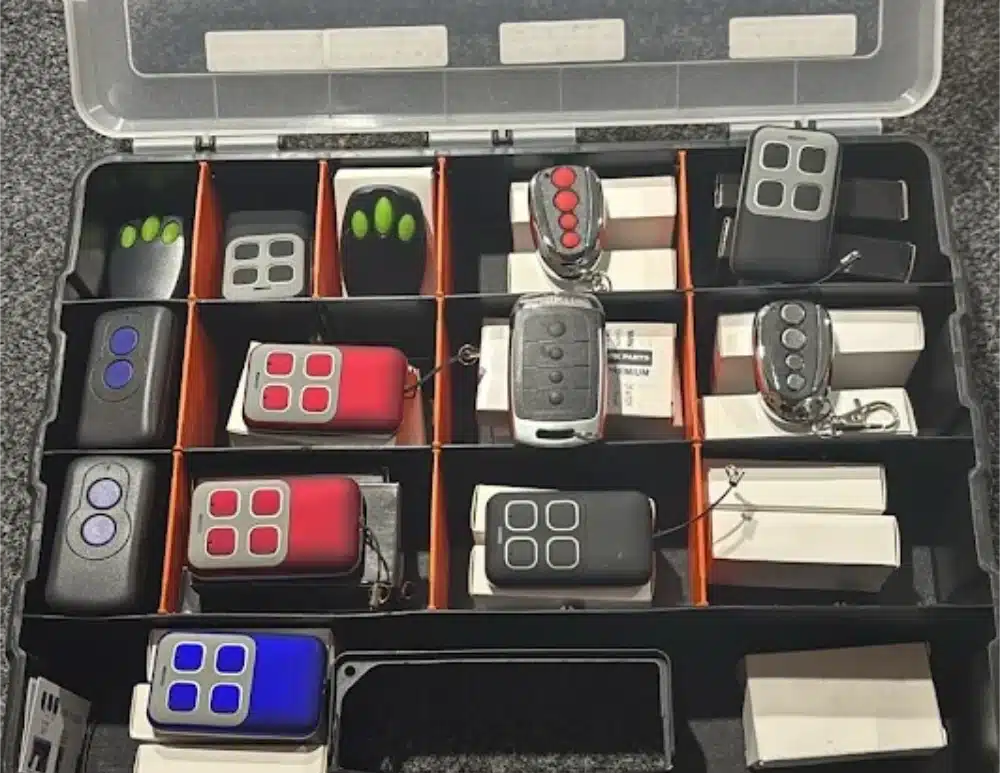
A garage door remote that stops responding leaves you standing in the driveway pressing the button and waiting for a motor that never kicks in. Whether you have lost your original remote or added a new remote to your garage door system, programming garage door remotes is something most homeowners can handle in minutes once you know which garage door opener model you have.
This step by step guide covers programming instructions for the most common garage door openers in Australia, including Merlin, B&D, ATA, SuperLift, Centurion, and Steel Line.
Locate Your Garage Door Opener Model
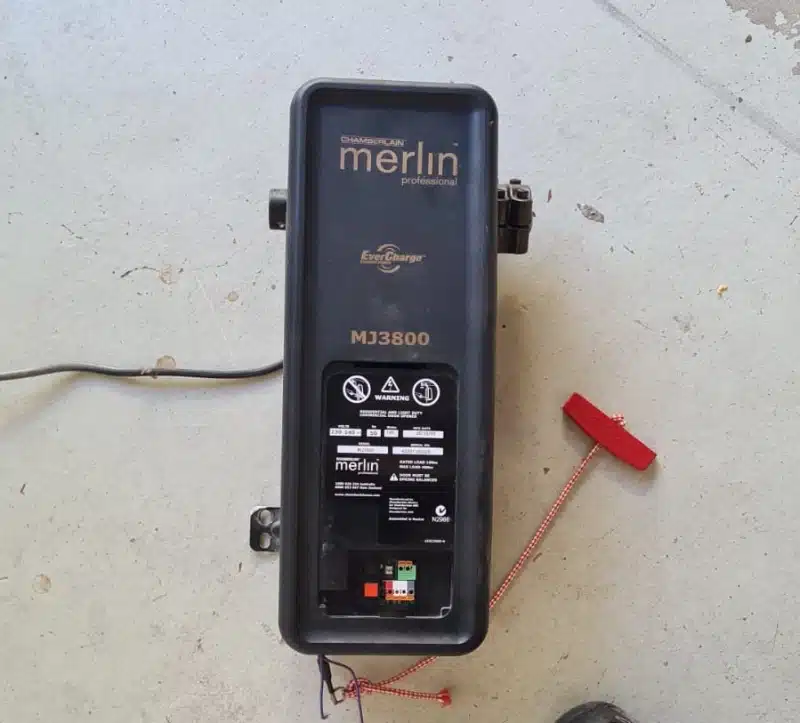
Check the label on your garage door opener unit, typically located on the side or back of the motor. The model number tells you which remote control is compatible and which programming steps to follow. Different models use different methods, and using the wrong process means the device will not pair. If the label has faded, refer to your manual or contact our team and we can identify the unit from a photo.
Programming A Remote With A Learn Button
Most modern garage door openers use a learn button on the control panel or motor unit. The process is similar across brands, though the opener varies slightly between manufacturers.
Locate the learn button on your garage door opener, typically located behind a light cover or on the back of the unit. Press and release the programming button. An indicator light blinks to confirm the unit is ready to receive a new signal. You have roughly 30 seconds before the blinking stops.
Press the button on your garage door remote that you want to program. When the indicator light stops blinking or the LED light flashes, the pairing is complete. Test by pressing the button on the remote again. If the door moves, you are done.
To add another remote, repeat the process. Most openers store four remotes or five remotes depending on the model.
Programming Older Remotes With DIP Switches
Older garage door opener models use DIP switches instead of only a learn button. Open the remote control and locate the row of small switches, usually eight or ten in a line. Set each switch to the same position as the matching switches on the opener. Every switch must match exactly. Close both panels and test the remote.
Trent from our Slide and Glide team visited a property in Thornlie where the homeowner had been through three remotes trying to program a 25-year-old B&D opener. The issue was not the remotes. One DIP switch on the opener had cracked and sat between positions, so no code would ever match. A replacement receiver board fixed it in under an hour.
Troubleshooting Tips
If your new remote will not pair, replace the batteries and try again. Confirm the remote is compatible with your garage door opener model. If the indicator light blinks but the door does not operate, the issue may sit with the motor or safety sensors rather than the remote. Erasing remotes and starting the process from scratch can resolve conflicts when too many devices have been paired over time.
How Many Remotes Can A Garage Door Opener Store?
In most cases, modern openers store between four and eight remote codes. You can set up current garage door remotes for every driver in the household without erasing existing pairings.
Can You Program A Keyless Entry Pad The Same Way?
One keyless entry device pairs using the same learn button process. Locate the learn button, press it, then enter your chosen code on the keypad and press the enter button. The indicator light will flash to confirm.
Get Your Garage Door Remote Working
If programming your new garage door remote has not resolved the issue, or you would rather have a professional handle it, our Slide and Glide technicians carry replacement remotes, receiver boards, and diagnostic tools on every call-out across Perth. Contact us on 0489 266 468 or request a booking online and we will get your garage door system operating the way it should.

- How To Improve Your Garage Door Security - September 1, 2026
- Do I Need A Backup Battery For My Garage Door Opener - August 16, 2026
- DIY Vs Professional Garage Door Repairs - August 16, 2026


Social Media